All Posts By

Jodi Goddard

Reasons to use Integrated Payments

Integration graphic

An integration software

Reasons to use integrated payments most people open their businesses because they are passionate about specific services or products. However, accepting payments is one of the most significant pieces to operating a business, and one of the most cost-effective ways is to take advantage of integrated payments.

Here are a few reasons to consider using integrated payments for your business.

Reduced Human Error

When data input becomes repetitive, the chance of human error increases; it takes one number difference when keying in a transaction. Using an integrated payment option eliminates the risk for you.

Safe and Secure Software

Having EMV, tokenization, and end-to-end encryption provides a higher standard of security. Tokenization takes the place of sensitive cardholder information that the issuing bank can only unencrypt during authorizations. To maintain customers’ trust, you must ensure that privacy and security are constantly updated. An integrated payment option provides customers with just that while creating loyalty to your business.

Real-Time Updates

Gone are the days of spending hours on accounting and extra trips to the bank. An integrated payment means your money will go to the correct account and update the balance within minutes unless you like waiting for checks to clear.

Cash Flow

An integrated software payments speed up cash flow meaning more money in your account is streamlined.
More ways to pay means more transactions and better cash flow. Adding online payments increases the opportunity to process transactions 24/7 whether the office is closed or customers need to make installment payments. In addition, having a more stable cash flow allows you to earn cash flow-dependent decisions such as maintenance.

Schedule with a Payment Professional by calling 866-921-2982 and find even more reasons to use integrated payments!

Check out our affiliate partner program for more information on implementing an integrated payment system combined with your software for increased revenue and growth potential.

11 Tips To Improve Workplace Communication

improve workplace communication

Workplace communication is the process of exchanging information and ideas, both verbally and non-verbally between one person or group and another person or group within an organization. It includes e-mails, videoconferencing, text messages, notes, calls, etc. Effective communication is critical in getting the job done, as well as building a sense of trust and increasing productivity


Did you ever play the game telephone when you were a kid?


The one where the first person whispers a phrase, and it goes down the line from person to person, and once it gets to the end, it’s an entirely different word? Well then here are few tips to Improve Workplace Communication.

It’s all fun and games when it’s a harmless thing like that, but what about when it comes to something important like a major deadline for a project and each team member is on a different page. Don’t wait until the house is on fire to install the smoke alarms. We can always strive for better communication, and hopefully, these tips can help.

Improve Workplace Communication Tip 1: Disagree Without Being Disagreeable

Many businesses can fail because managers tend to stick to those who align with them and push away those who may disagree or think differently when the company strives to be on the same page and accept employees for the different qualities they bring to the company. When your company provides an environment for employees to come forward with their ideas, the company culture will thrive. Conversely, success will be harder to climb if the domain is where employees feel unheard and undervalued.

Improve Workplace Communication Tip 2: Network Better

A lot of people don’t like networking groups. I’m introvert learning how to be an extrovert when needed because I know it will help me succeed. Networking helps expand your circle; it also helps develop better communication skills which are great for those looking at a promotion. You never know when you “need a guy” in a specific industry, i.e., having a lawyer friend is nice.

Improve Workplace Communication Tip 3: Practice active listening

Active listening means using nonverbal cues and gestures to show your attention is on the speaker. For example, things like eye contact, interjecting phrases such as “yeah, sure,” or nodding your head show you are paying attention and trying to understand what is said.

Improve Workplace Communication Tip 4: Observe body language

People-watching is a favorite pass-time for many folks; step it up a bit and start watching the body language. The things someone says are just as important as the things that go unsaid. By watching their body language, you will decipher how they feel—watching someone’s body position, gestures, facial expressions, and even the amount of eye contact they hold.

Improve Workplace Communication Tip 5: Maintain professional language

You must keep language professional; if you wouldn’t send a message to your supervisor, don’t send it at all. Keeping language kosher in email and presentations will show your confidence and knowledge rather than being less educated with poor language skills.

Improve Workplace Communication Tip 6: Engage in face-to-face communication

Emails and instant messages are easier to send a quick message however face to face communication will add more clarity and more effective communication. Plus, we need to brush up on face-to-face communication since the pandemic turned a lot of people into hermit teleworkers. Video calls pull some of the slack, so being dressed and the camera on says a lot more than bed head and the camera turned off. You no longer have to be ‘in-office’ to create that environment.

Improve Workplace Communication Tip 7: Be transparent about your needs.

Another way to communicate effectively in the workplace is to practice transparency, i.e., instead of agreeing to take on another project when you’re already swamped, be open with your co-workers/supervisors. This allows for maximizing workplace productivity and stamina.
Having an employer who listens and tries to fulfill those needs adds more employee loyalty, among many other positives.

Improve Workplace Communication Tip 8: Download proofreading tools

Having a professional email without spelling errors and the correct tone can go a long way.
Something like Grammarly helps with the grammar and helps identify the tone of the email to ensure you don’t sound like a grump when you’re excited. A text comes across differently, and the emotion is missed. Having the tone pointed out to you and following the suggestions will have you at the top of your game.

Improve Workplace Communication Tip 9: Use clear and concise language.

There aren’t many things more frustrating than someone being vague when you’re looking for answers. Asking ‘Do I make sense?’ and similar questions will help tighten the understanding for those in the conversation. Being transparent with written and verbal communication is essential as it reduces confusion and allows employees to focus on the task at hand.

Improve Workplace Communication Tip 10: Use the tone of voice to add clarity.

The tone of voice can set the mood for the entire conversation. It’s not what you say; it’s how you say it. Using happy and uplifting tones shows interest in the discussion and offers value in the ideas brought forward. Having punctuation in an email, like using an exclamation point, shows the recipient helpful and essential to the company.

Improve Workplace Communication Tip 11: Ask open-ended vs. close-ended questions.

Open-ended questions encourage the other person to voice their opinions rather than answer yes or no. Open-ended questions allow for more information to surface regarding the topic. This helps people feel more comfortable in the workplace as they feel heard and communicate freely. In contrast, something important may be forgotten or glossed over in a closed question instead. Think of the five W’s; who, what, where, when, and why.


Whether you’re a business owner or employee you can make a change. 

workplace communication – It’s not what you say, but how you say it

workplace communication

Ever heard the phrase “It’s not what you say, but how you say it”? workplace communication


That quote comes from Albert Mehrabian’s research based on the 7%-38%-55% rule.

Words: 7%
Tone: 38%
Body Language: 55%

The tone is becoming more critical in this day and age since we have far less face-to-face communication. The less they speak, the more they forget, and manners can fly out the door a bit for some people. Maybe we got too comfortable with Zoom meetings where we didn’t need to be a professional as if we were going into the office instead.

What happens when the tone used annoys instead of inspires? What happens when the style and the words or body language don’t match? Unfortunately, not everyone has the best poker face, and how many people are saying “fine” when it is the exact opposite? All that does is cause people to lose trust and add more confusion.

As a female, I can attest that the jokes where when we say “fine,” it should be taken as a cue to run the other way or show up with chocolate are indeed pretty accurate. However, how many times can you convince someone that you are happy when it’s evident to them that you’re pretty down in the dumps.

These scenarios are constantly happening in one way or another. When you add a bit of distraction to the mix, it’s even easier to say something positive with a negative delivery. For the ‘foot in the mouth’ moments, my life runs above average. They say that we learn by teaching others, so here’s hoping that that is the case, because Lord, help this girl.

Why do we need to have good communication skills at work or workplace communication?

Good communication can make all the difference when it comes to leadership. Poor communication leads to misunderstandings and confused employees. When the doors for communication are open within the company, projects are done quickly and effectively while fostering a positive culture with the ability to meet goals on time, increasing tenfold if not ahead of time.


Create Effective Communication in the Workplace


Emails – Messaging

In most office settings, communication via email remains crucial. Having the ability to pass messages to your team members without pulling them out of their workstations keeps the workflow steady with fewer interruptions and distractions.

One on One

Experts say some people understand better when talking to them one-on-one. Also, keeping eye contact with them will help the message sink in.

Communication through Training

Training should be customized towards communicating specific information to your team members. Most employees take their training seriously, especially if it’s tied to workplace incentives, i.e., a raise, promotion, etc.

Display Confidence and Seriousness workplace communication


When speaking with confidence, you likely won’t be taken for granted. When others sense insecurity or lack of seriousness, they typically disregard the information. In one ear and out the other, the tone can unintentionally affect things.


Use Different Learning Styles


Adding visuals boosts interest and helps with comprehension. Visual, auditory, and kinesthetic learners benefit from various aids such as pictures/graphs or engaging in activities to grasp the concept. In addition, by offering different learning styles, your employees will feel more comfortable and confident in their job roles.


Listen to Your Team Members


Communication goes both ways, don’t talk because you are the ‘leader’ without taking time to listen to others. Having open communication will encourage employees to be more comfortable having hard conversations. You have one mouth and two ears – meaning you should listen twice as much as you speak; things that aren’t said can be just as important.

Be Humorous

It has been proven that using humor or friendly jokes is highly effective. Using humor can put everyone at ease and reduce tension in an uncomfortable situation. This allows the intended message to be relayed in a more relaxed way. Just remember, your day job is probably not a clown at the circus, so don’t go overboard.

Avoid Mumbling

Clear communication also includes enunciating your words and not mumbling. People can’t understand or grasp the topic very well if you are speaking too fast and mumbling. 
Gesticulate

Making hand motions can establish the seriousness of the topic when talking. In addition, it puts off the vibe of knowing your subject and emphasizes your confidence. 
Be Appreciative

Being appreciative to the team and your listeners is just courtesy. Working together is supposed to promote idea sharing and boost productivity. By being specific about the things, you appreciate you improve professional relationships and have more effective communication. When workplace communication is down or employees feel unheard and undervalued, it can cause confusion and sideline an entire project. They took the time to hear you out; thank them for it.

Card Declines

A few things can cause checkout anxiety, but I say the top two are not being able to put your change away fast enough before the next customer and being greeted with a significant fat decline across the receipt. Most of us have had it happen for tons of various reasons at one point or another. credit card declines

No one likes a decline message, so customers must be shown some discretion while finding an alternative. Business owners need to be prepared to handle such situations; luckily, most declines are resolved efficiently. Losing a sale may be a disappointment but having that customer ditch your business for another based on poor handling of a crappy situation is a worse fate.

Visa and Mastercard report an average of 15% of recurring payments are declined, but the rate can be double that for some industries. In addition, there is a wide array of reasons why a card may be denied. When a card is declined, it is by the issuing bank, processor, or the payment gateway.

Types of Card Declines

Hard decline

This happens when the bank doesn’t approve the transaction. Reasons could be related to a maxed-out credit card, data entry error, or fraud. This situation calls for a new payment method; trying to rerun it will yield nothing.

Hard declines typically need the payment card information to be updated regardless of the number of retries attempted.

Soft decline

A soft decline happened when the bank authorized the payment, but the transaction failed elsewhere. Think of it as a relay race rat race if the last person doesn’t complete their leg, the team is disqualified and doesn’t cross the finish line. The steps that occur at each transaction can fail with no fault of the consumer or the issuing bank. Soft declines are usually resolved by trying the traction again. Just remember trying more than three times is not a good practice.

Types of soft declines

Insufficient Funds

This happens when the customer does not have sufficient funds in their account to cover the transaction. This is the most common and most embarrassing for the customer to experience.

Unusual Purchase
Sometimes when a purchase is made out of your home state or doesn’t align with past buying behavior, the banking institution will flag and block the transaction to negate fraud. Then, a quick phone call or visit to the app (if they have one) can verify the purchase or travel notice allowing the customer to continue as usual.

AVS or Billing Address Issue
For card-not-present transactions, online payment gateways require extra validation to prove that the transaction is a legitimate credit or debit card used. Banks will typically block transactions outside of that card’s billing address.

Types of hard declines

Stolen or fraudulent card
The bank will mark a card as stolen or fraudulent, so it will be blocked when a purchase is attempted, whether for in-person sales or online transactions.

Invalid card
Usually, the result of a typo, invalid card declines, concerns about incorrect card numbers, CVV verification numbers, or other card details.

Reasons behind a credit card decline

The user met the credit limit.

If there isn’t enough available credit, the card will be declined.

Large purchases
An account can get flagged for a large purchase. If it seems outside of the customer’s normal spending behavior, it can trigger fraud and freeze the account, which declines the transaction.

Expired Card

An expired card will always end in a failed transaction. This is because the card network cannot process a card that has expired.

Missed payments
If you have a less than stellar credit history and are a few days past due on your bill, any attempted transaction would be declined. Not only does the missed payment hurt your credit score, but it also can prevent you from using the card.

Check the customer’s information.
Sometimes if the numbers were keyed in, they could have been transposed or off just a little. Confirm with the customer that the billing and zip code and the CVV code are correct.

Confirm the card is valid
Check the information on the card to make sure it lines up correctly. We use the same card for years, so it can expire without us even realizing it. If the information is correct, the customer must contact their bank and use an alternative payment method.

Should you try the transaction again?
A declined card will not go through no matter how many times you swipe it. The best solution is to have the customer call the card issuer to find the potential issue. Once that has been resolved, you can rerun the card.

Widen your payment options
Offering multiple payment options such as digital wallets can help expand your customer base.


In a survey conducted by CompareCards.com, one in five American consumers has declined a credit card at least once in the past 12 months. That is more than 40 million people!

Treating customers with discretion and being gentle with the situation regardless of the decline will help customers feel at ease. Approximately 15% of shoppers will go to a different retailer after experiencing a decline, causing merchants to lose out on a sale. By being as respectful and helpful to find a resolution as quickly as possible will help your customers feel that they are in a safe and judgment-free environment. 

Credit Card History

First American Express Credit Card

Credit Card History


When I started with Platinum Payments, I never even knew the credit card processing world existed, let alone how it keeps running smoothly. Since I never knew, there are probably, hopefully, others that have no idea either. I like to nerd out sometimes, and this happens to be one of those topics. The history of credit cards might sound rather lame, ok, really lame, but I promise, there are some cool things here!

Can you imagine what life would be like 500 + years ago? What would those whose crops weren’t quite ready for a trade yet, but they desperately need milk from their neighbor who has the cows?


In the early 20th century, department stores, airlines, and gas stations offered what was referred to as a “shopper plate or charge coin,” but the first official credit card appeared in 1950 with a “charge” sign at participating merchants.


The 1940s

In 1946, John Biggins of Biggins Bank held the spot for the first actual credit card. Consumers could use the Charge-It card within the group of businesses that were associated with Biggins Bank. The merchant would send the invoice to the bank and would receive payment on behalf of the customer.

The Diners Club Card emerged in 1949, and rumor has it that it was created by Frank McNamara and a partner when they found themselves embarrassed for not having enough money to cover their restaurant tab. The Diners Club is the first credit card processing industry acquirer because it was the first to charge merchants a discount rate.

The 1950s + 1960s

American Express joined the credit card industry in 1958 with a plastic card geared towards travel and entertainment, or ‘T&E.’ The objective was for business people who are on the road could pay for their travel and entertainment without the need for a bunch of cash on hand.

However, the first plastic credit cards introduced left room for human error since the merchant would take an imprint and send it to the billing department, which added on an even longer time frame. Finally, in the 1960s, IBM entered the scene by adding the coding information with the magnetic stripe.

In 1960, Bank of America launched its version of a bank card association that licensed other banks to issue their BankAmericards while processing BankAmericard transactions. This was also when the idea of revolving credit became more prevalent. Consumers liked the idea of the ability to roll over part of the due amount in exchange for a small fee.

By 1966 the Interbank Card Association was created by MasterCharge, who eventually became MasterCard. The foremost benefit was that associated banks could exchange information on credit card transactions across their network. The association had member committees to establish the rules and regulations, such as authorization, security, marketing, settlements, and other legal aspects. Third-party companies emerged to sell processing services, which reduced banks’ role in dealing with settling accounts and paying the merchants. Eventually, Visa and MasterCard took over to develop arbitration and the standard procedures to facilitate international payments and reduce fraud.


The 1970s + 1980s

In 1970 Bank of America watched MasterCard dominate the industry, forming their association, National BankAmericard Inc of NBI. Worthern Bank and Trust Co sued the NBI, and they argued that NBIs restrictions with competing cards put them at a ‘competitive disadvantage.’ Even though Worthern lost the case, the NBI changed its rules anyway at the suggestion of the U.S. Department of Justices’. As a result, banks were allowed to offer both credit cards from that point forward, permanently changing the processing world.

In 1976, National BankAmericard restructured as Visa USA, MasterCharge followed suit and became MasterCard in 1977. Discover was the late bloomer of the crowd and didn’t show up until 1986. Fun fact, Discover was created by Sears and was introduced during a commercial for the Super Bowl. After that, discover bounced between a few companies before gaining independence as Discover Financial Services in 2007.

The 80s brought forward more electronic payments, with VeriFone releasing its first POS in 1981 and terminal in 1983. Automated Teller Machines or AMTs started popping up, giving people access to their cash and accounts 24/7. When dial-up terminals debuted, the whole process got much quicker. Authorizations and settlements were now done remotely, whereas before, it was done via phone. Crazy to think how things started with trading chickens to the ability of payment options from a smartwatch or NFC.


If you’re ready to upgrade your system, schedule with a payment professional and take advantage of the year-end sales and extra discounts! 

Plus, did you know we offer ATMs as well?! 

Is A Cash Advance Right For You?

Cash Advance Request

I don’t want to find a new way to grow your business, stay up to date with software and tech, or hop on the latest marketing trend. – Said No One. Ever.

Have you ever thought about utilizing a merchant cash advance to slingshot your business forward? It will give you the ability to have the cash flow you need to make all the changes you’ve dreamed of. Instead of stressing about how to get working capital, you could just opt for a merchant cash advance instead.

Perks of a Merchant Cash Advance


1. Quick Funding


We understand that time is money so our turnaround time is 2-3 days maximum but trending with same-day approvals. Timing is critical and the improved cash flow can make all the difference for your business.

Think of it like this, 1 in 5 small businesses get approved for business loans, however, they had to wait 3-4 weeks for that loan to process, then were restricted from certain purchases. That won’t help you if you are an auto shop that needs to buy parts or a doctor’s office that needs to order supplies. A cash advance takes that entire risk out of the equation when you wait a maximum of 2-3 days to get the funding there are no more missed opportunities and the flexibility to fit the needs of your business.

2. Subpar Credit Is A’OK

The odds of getting a merchant cash advance VS trying to obtain a traditional business loan are in your favor. The application is simple to do and we’re not worried if your credit score is a bit under the weather, you could still qualify. All you need to do is prove your credit card sales match the loan amount, this way we know you can pay the advance back.

3. There’s No Set Payment Amount

Since this isn’t a loan there isn’t a set monthly payment or payment terms. Basically, you are agreeing to trade part of your future credit card sales for a chunk of cash now. Repayment is so easy you will hardly notice it’s there with daily payments made off a percentage of revenue for the day or paying monthly with the benefits of sliding scale payments based on your revenue.

4. Use the Money However You’d Like

Business loans come with restrictions attached when it comes to how the money is spent. For example, the Small Business Administration’s 504 loan program can’t be used for inventory while the microloans cannot fund paying off debt or buying real estate. When you’re limited to what you can buy it makes it difficult to be able to meet the business’s needs. If you want to pay off $20,000 in debt and spend another $100,000 on building renovations we can help you make that a reality. The ability to be flexible is a huge advantage.


Let’s talk and see if a merchant cash advance can help you reach that next level.

Survival of the Adaptors

Talech Mobile

Survival of the Adaptors

Everyone is talking about supply chain interruption, how chip shortages are affecting tech, and the ports are backed up. Long story short, they’re saying that holiday shopping this year is going to be different. That’s great for the consumers to plan earlier shopping strategies, but what are the small businesses supposed to do to get by?

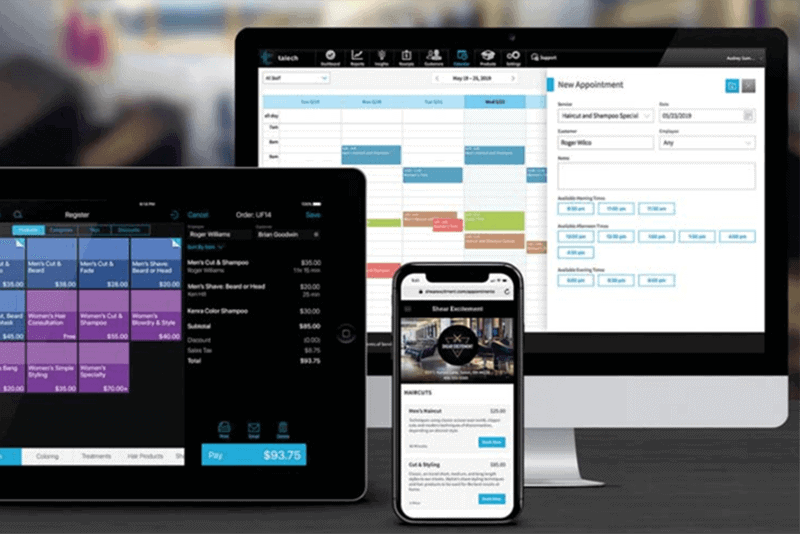
One option is using Talech point of sale  and its AI tools to stay dialed in on inventory and adjust sales accordingly. In addition, it syncs with ease to tablets, iPad, smartphones, and quite a few point of sale setups offering a more flexible way to accept payments.

Link your Talech point of sale software to your chosen device and sit back and watch the magic. Just think of what you could do with real-time business analytics?! Have order placements, checkout, payment information, and simple-to-read reports all in one place. For. Free. See the flow of products straight from the dashboard to zone in on customer trends.

Here are a few examples of what the data can do for you:

  • Compare inventory and goods sold to keep stock up to date.
  • See what is a hot seller or what is sitting on the shelf for too long.
  • Track the results of promotions, revenue, inventory, and staffing.
  • Know who will be the employee of the month with the highest sales.

If you want to scale up, Talech will help you do that quickly. The information provided will allow you to adjust purchase points to stay profitable, meet customers’ expectations and lower the amount of money tied up in inventory.

Did you know?

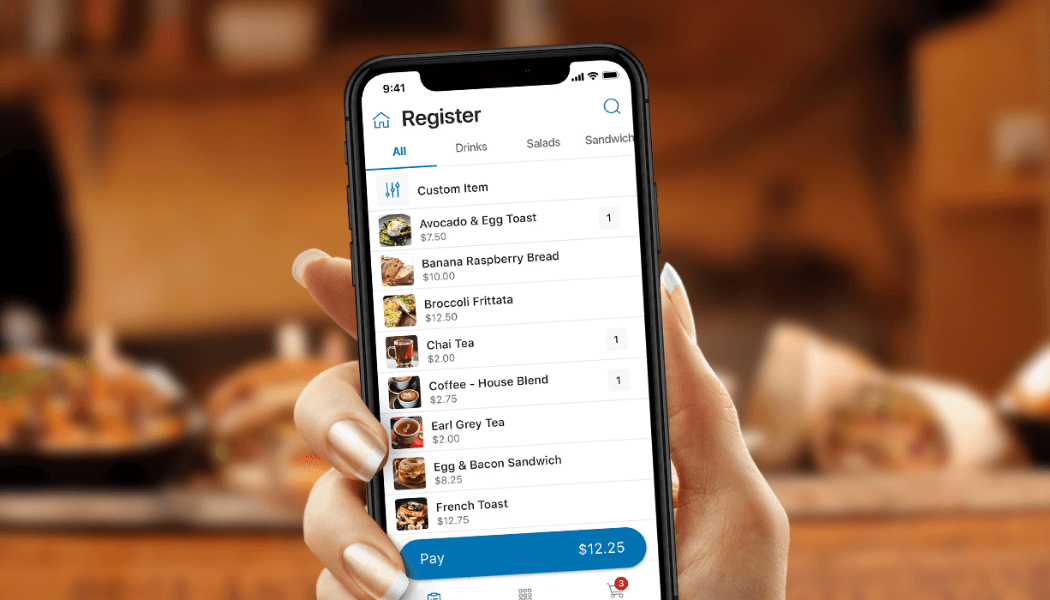
Talech Mobile is a free version of the software available through any smartphone’s App Store that provides business analytics and insights, but not at a level as robust as a paid version of talech. A customer needs an inexpensive, chip-enabled Bluetooth card reader for securely accepting payments on their smartphone.

Much like last year, this holiday season is sure to look unlike any other in a new way. While concerns about health and safety have relaxed since the previous year, pandemic-influenced shopping behaviors continue to gain traction.
Most businesses figured out how to adapt to new ways of serving their customers; however, implementing those practices when market peaks will all hinge on a well-thought-out plan.

For our eCommerce friends, think about adding the option to buy online and pick up in-store. Some people prefer to browse online, check reviews, and then go to the store for pick up. This is great for online shoppers who don’t wait to wait for shipping.
The smaller inventory club that doesn’t want to store card information or a home-based business should consider a “Buy” button for easy checkout. It’s simple to add to a webpage that doesn’t require an investment of time and money on a more advanced payment system.

If you’re rocking the brick and mortar stores, you can say sayonara to checkout lines and social distancing. This allows customers to check out wherever they happen to be, whether outside, curbside, tableside, literally anywhere. Make sure to consider the customers who need to make contactless payments as well.

Schedule a time to have a payment professional do a free analysis and if we can help!


Data Privacy Policy Agreement.

Applicant Privacy Policy
English


Legal Disclaimer
Effective Date: January 1, 2021
This Applicant Privacy Policy (the “Policy”) describes the practices of Platinum Operating Company, LLC d/b/a Platinum Payments (“Company”) regarding the information that is solely collected through the Platinum Workforce Now portal (“Careers Site”) in connection with your application for a job or internship with us.


1. CATEGORIES OF INFORMATION WE COLLECT THAT YOU PROVIDE
We may collect the following information from you in connection with your application through the Careers Site: Name, e-mail address, mobile number, work authorization status, resume, profile information (e.g. work experience, education, skills, licenses & certifications, and memberships), professional and other work-related licenses, permits and certifications, references, and any other information you elect to provide to us (e.g., employment preferences, willingness to relocate, current salary, desired salary, awards, or professional memberships).
If you do not provide sufficient information, we may be unable to consider your employment application.
However, please avoid submitting the following information that may qualify as sensitive information under applicable law, except where such information is legally required: information on race, religion, ethnicity, nationality or national origin, age, gender identity, sex life or practices or sexual orientation, marital status, medical or health information (including disability status), genetic or biometric information, biometric templates, political or philosophical beliefs, political party or trade union membership, background check information, judicial data such as criminal records or information on other judicial or administrative proceedings, and veteran status.
If the personal information you provide contains details of the information referenced in the preceding paragraph or your job evaluations or educational records, you authorize us to handle such details for the purposes of your job application.
Any information you submit through the Careers Site must be true, complete and not misleading. It is your responsibility to ensure that information you submit does not violate any third party’s rights.
If you provide us with personal information of a reference or any other individual as part of your application, it is your responsibility to obtain consent from that individual prior to providing the information to us.


2. USE OF INFORMATION / LEGAL BASIS
We collect and process information about you for the following reasons:
a) Because you voluntarily provide this information;
b) Because this information is necessary to take steps at your request prior to entering into an employment or internship;
c) Because this information is of particular importance to us and we have a specific legitimate interest under law to process it;
d) To comply with a legal obligation; or
e) Where necessary to protect the vital interests of any person.
The information that you submit on the Careers Site will be used for our personnel recruitment, management, and planning purposes, as permitted by local law, including:
• To process your application;
• To assess your capabilities and qualifications for a job;
• To conduct reference checks;
• To respond to your inquiries and communicate with you about your application, and to send you information regarding the Careers Site and changes to our terms and policies;
• To comply with or monitor compliance with any applicable law or regulation;
• To conduct background checks if we offer you a position; and
• To preserve our other legitimate interests, for example, for our administrative purposes, aggregate management reporting, internal training, and as generally required to conduct our business.
The information about you will be added to our candidate database. If you do not wish us to do this, please contactwendy.clawson@ptpay.us.
If we hire you, personal information we collect in connection with your application may be incorporated into our human resources system and may be used to manage the new-hire process; any such information may become part of your employee file and may be used for other employment-related purposes.
We may also use the information as we believe to be necessary or appropriate: (a) under applicable law, including laws outside your country of residence; (b) to comply with legal process; (c) to respond to requests from public and government authorities including public and government authorities outside your country of residence; (d) to protect our legal rights and operations or the rights, privacy, safety or property, and/or of us, you, or others; and (e) to allow us to pursue available remedies or limit the damages that we may sustain.


3. DISCLOSURE OF PERSONAL INFORMATION
We may share personal information with affiliates and/or partners that are involved in and/or for performing pre-employment, post employment processes in compliance with state and federal law, evaluating candidates for a given position and to track employee and/or contractor performance and progress. We will make the information available to personnel with a business need to know the information, including personnel in the recruiting, human resources, and information technology departments, and in the department responsible for the position for which you are applying and for which you, if hired on an employee or contract basis, hold.
We may share personal information with third-party service providers who provide services such as hosting and operating the Careers Site, recruiting assistance, background check processing, Work Opportunity Tax Credit, eVerify, Equal Employment Opportunity Commission, and any other governmental programs the business elects for voluntary or compliance purposes and similar services.
We also may share personal information as we believe to be necessary or appropriate: (a) under applicable law, including laws outside your country of residence; (b) to comply with legal process; (c) to respond to requests from public and government authorities including public and government authorities outside your country of residence; (d) to protect our legal rights and operations or the rights, privacy, safety or property, and/or of us, you, or others; and (e) to allow us to pursue available remedies or limit the damages that we may sustain.
We may transfer information in the event of any reorganization, merger, sale, joint venture, assignment, transfer or other disposition of all or any portion of our business, assets or stock (including in connection with any bankruptcy or similar proceedings).
Disclosing your personal information may include transferring personal information to other countries (including countries other than where you are based that have a different data protection regime than is found in the country where you are based). If you are located in the European Economic Area (the “EEA”), this may include countries outside of the EEA.


4. DATA RETENTION
We keep your personal information for as long as needed or permitted in light of the purpose(s) for which it was obtained. The criteria used to determine our retention periods include (i) for as long as we have an ongoing relationship with you (such as an application process); as required by a legal obligation to which we are subject; or as advisable in light of our legal position (such as in regard of applicable statutes of limitations, litigation, or regulatory investigations).
We may remove personal information for inactive accounts, subject to any applicable legal or regulatory obligations. Furthermore, we may delete personal information about you (including your CV/résumé) from our database at any time and without providing any reason. Therefore, please retain your own copy of the personal information provided to us.


5. PASSIVE INFORMATION COLLECTION: COOKIES AND TRACKING TECHNOLOGY
When you visit the Careers Site, we collect certain information by automated means. Cookies are small text files that websites send to your computer or other internet-connected device to uniquely identify your browser or to store information or settings in your browser. Cookies allow us to recognize you when you return. They also help us provide a customized experience and enable us to detect certain kinds of fraud. In many cases, you can manage cookie preferences and opt-out of having cookies and other data collection technologies used by adjusting the settings on your browser. All browsers are different, so visit the “help” section of your browser to learn about cookie preferences and other privacy settings that may be available.
We also use Flash Cookies (also known as Local Stored Objects) and similar technologies to personalize and enhance your online experience. The Adobe Flash Player is an application that allows rapid development of dynamic content, such as video clips and animation. We use Flash Cookies for security

purposes and to help remember settings and preferences similar to browser cookies, but these are managed through a different interface than the one provided by your web browser. To manage Flash Cookies, please see Adobe’s website at http://kb2.adobe.com/cps/526/52697ee8.html or visit www.adobe.com. We do not use Flash Cookies or similar technologies for behavioural or interest based advertising purposes.
Pixel tags and web beacons are tiny graphic images placed on website pages or in our emails that allow us to determine whether you have performed a specific action. When you access these pages or open or click an email, the pixel tags and/or web beacons generate a notice of that action. These tools allow us to measure response to our communications and improve our web pages and promotions.
We collect different types of information. For example, we collect information from the device you use to access the Careers Site, your operating system type, browser type, domain, and other system settings, as well as the language your system uses and the country and time zone where your device is located. Our server logs also record the Internet Protocol (“IP”) address assigned to the device you use to connect to the Internet. An IP address is a unique number that devices use to identify and communicate with each other on the internet. We may also collect information about the website you were visiting before you came to us and the website you visit after you leave the Careers Site.
In many cases, the information we collect is only used in a non-identifiable way, without reference to personal information. For example, we use information we collect about website users to optimize the Careers Site and to understand website traffic patterns. In some cases, we associate the information we collect with your personal information. This Policy applies to the information when we associate it with your personal information.

Although the Careers Site currently does not have a mechanism to recognize the various web browser Do Not Track signals, we do offer individuals choices to manage their preferences that are provided in the previous sections above. The Careers Site does not collect personal information about an individual’s online activities over time and across different websites when a consumer uses the Careers Site. To learn more about browser tracking signals and Do Not Track please visit http://www.allaboutdnt.org/. We use Google Analytics as a third-party vendor. For information on how Google Analytics uses data, please visit “How Google uses data when you use our partners sites or apps”, located at http://bit.ly/2jXZ13Y. We also use Pendo as a third-party vendor. For information on how Pendo uses data, please visit https://www.pendo.io/privacypolicy/.


6. ACCESS AND CORRECTION
If you register on the Careers Site, you may access, review, and change your personal information stored therein by logging into the Careers Site and updating your account information. However, if you have authenticated your login via a mobile number or email address, such information cannot be updated in the same login session.
We encourage you to promptly update your personal information if it changes or is inaccurate.
Apart from information contained in your profile, where permitted by applicable law, you may request (i) access to personal information we collect, (ii) its modification or suppression, (iii) that we restrict its processing, (iv) that we cease using it (objection right); (v) that we transfer personal information to you or another organization in a structured, commonly used and machine-readable format (right to data portability), and/or (vi) that we not sell any such information. Please email us at wendy.clawson@ptpay.us
or contact us at 1483 Wall Ave, Ogden, UT 84404 with any such requests.
For your protection, we may only implement requests with respect to the information associated with the particular email address that you use to send us your request, and we may need to verify your identity before implementing your request. We will try to comply with your request as soon as reasonably practicable. Please note that certain personal information may be exempt from such access, correction, or suppression rights pursuant to local data protection laws.


7. SECURITY
We use reasonable organizational, technical and administrative measures to protect personal information within our organization. Unfortunately, no data transmission or storage system can be guaranteed to be 100% secure. If you have reason to believe that your interaction with us is no longer secure (for example, if you feel that the security of any account you might have with us has been compromised), please immediately notify us of the problem by contacting us in accordance with the “Contact Us” section below.
We hereby disclaim, as far as permitted by local laws, any liability for us and our affiliates and contractors for any personal information we collect in connection with your application that is lost, misused, illegally accessed, disclosed, altered or destroyed or not timely delivered to our Careers Site.


8. LINKS TO THIRD-PARTY WEBSITES
The Careers Site may contain links to other websites. This Policy does not address, and we are not responsible for, the privacy, information or other practices of any third parties, including any third party operating any website or service to which the Careers Site links. The inclusion of a link on the Careers Site does not imply endorsement of the linked site or service by us. We encourage you to read the legal notices posted on those sites, including their privacy policies.


9. LAW APPLICABLE TO JOB APPLICATION
This Careers Site is operated from ADP Workforce Now in Dallas, TX. Accordingly, any personal information you submit to the Careers Site will be collected in ADP Workforce Now in Dallas, TX and will be subject to state of Texas laws.
The Careers Site is not intended for distribution to, or use by, any person or entity in any jurisdiction or country where such distribution or use would be contrary to local law or regulation.


10. ABOUT CHILDREN
The Careers Site is not intended for individuals under the age of 18.


11. CHANGES TO THE POLICY
We reserve the right to amend this Policy at any time in order to address future developments, the Careers Site, or changes in industry or legal trends. We will post the revised Policy on the Careers Site or announce the change on the homepage of the Careers Site.
You can determine when the Policy was revised by referring to the “Last Updated” legend on the top of this Policy.
Any changes will become effective upon the posting of the revised Policy on the Careers Site. By continuing to use the Careers Site following such changes, you will be deemed to have agreed to such changes.
If you do not agree with the terms of this Policy, in whole or part, you can choose to not continue to use the Careers Site.


12. CONTACT US
If you have questions or requests, please feel free to contact us at info@ptpay.us or USPS address at 1483 Wall Ave, Ogden, UT 84404.